Role-Based Access Control (RBAC)
While scopes define “where” an admin operates (which tenant or level), RBAC roles define “what actions” an admin can perform on which resources.
A10 Control’s RBAC system is based on a few fundamental concepts:
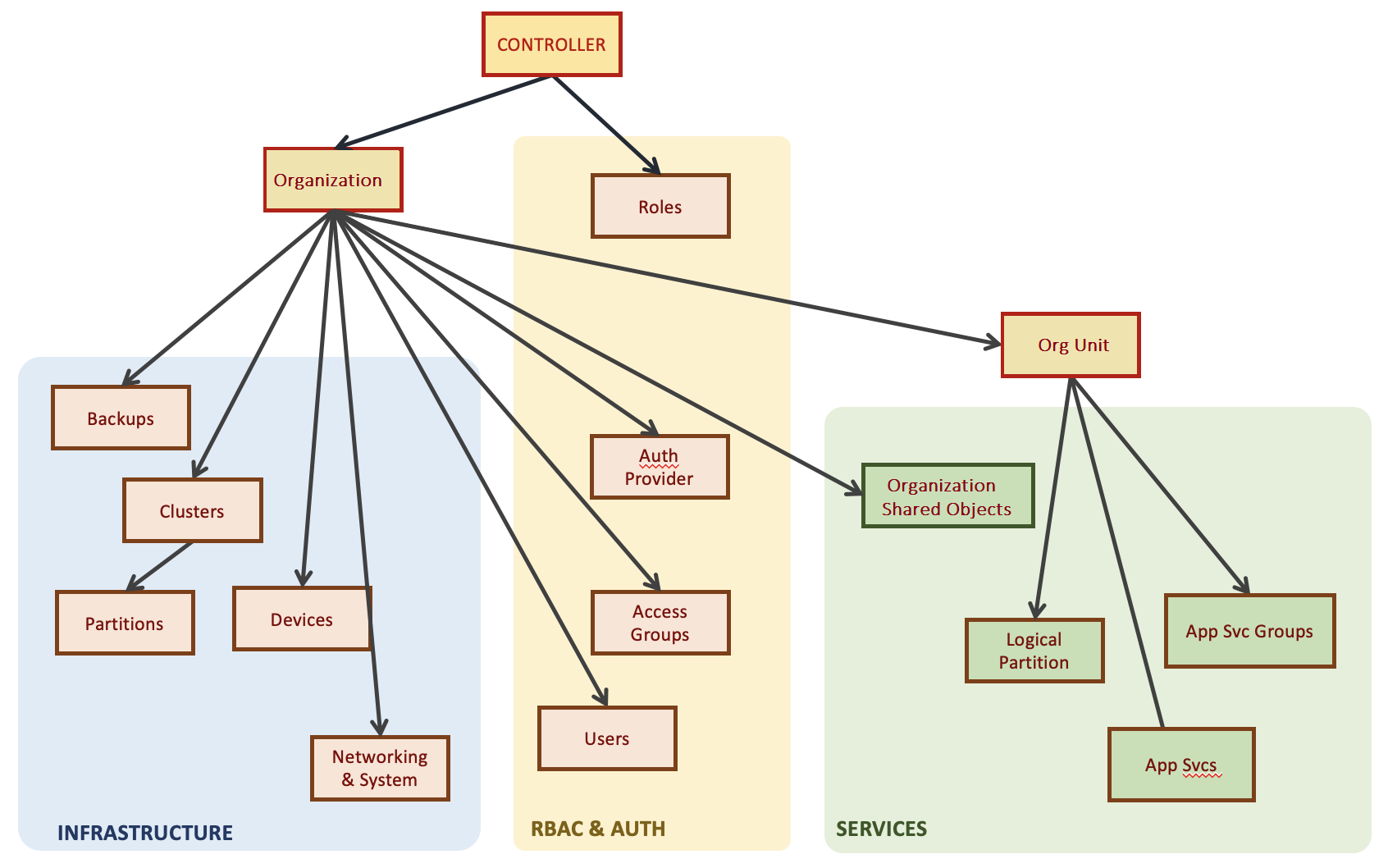
- Resource: These are the objects or entities on which permissions are applied. For example, clusters, logical partitions, or Org Unit resources. Essentially, anything that a user might need to access or manage is considered a resource. Even an Org Unit itself can be a resource (for managing its settings).
-
Role: A role is a set of permissions on one or more resource types. For example, Read only, Read and Write, or No Access. Roles are often predefined in the system to cover common permission sets. For example, a user with the Org Unit Admin role gets Read and Write permission to Org Unit account, however, a user with Org Unit Operator role gets only Read Only permission to the Org Unit account.
For more information, see A10 Control Predefined Roles.
-
Access Group: Access group is created by using a role. Access group restricts access rights defined in the Role to specific resource instances. Roles cannot be directly associated to a user, only Access Group can be assigned to a user. For example, you would create an Access Group that includes the Partition Admin role but narrowed to the specific resource “Device-123/Partition-A”.
The list of resource instances can also be dynamically defined. For example, an Org Unit Admin gets access to resources such as devices in a cluster only if some device partitions were mapped to the respective Org Unit by an Organization Admin. For more information, see Manage Access Group.
- Users: Users (admin accounts) are then added to one or more Access Groups, which grants them the roles (permissions) on the resources defined by those groups. A single user can have multiple roles via different access groups, especially if they operate in multiple scopes. For example, a user could be an Org Unit Admin for one Org Unit (one access group assignment) and also have a read-only Operator role for the overall system (another access group) if that was needed. For more information, see Manage Users.
Use Case
When setting up A10 Control for the first time, a super-admin will create initial Organization(s) and Org Units. They will then create user accounts for the appropriate people and assign them to access groups with the roles they need. A10 Control’s UI usually provides guided steps for adding a user and selecting their role in a given scope.
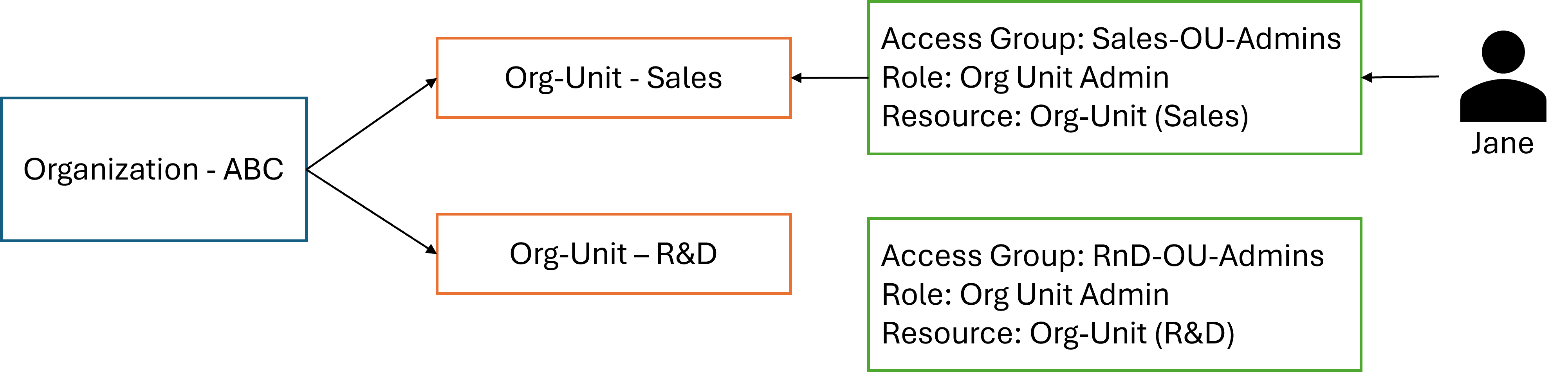
Company ABC (Organization) has two Org Units: Sales and R&D. You want a user Jane to be the admin for Sales Org Unit only. In A10 Control, you would create an access group like “Sales-OU-Admins” with the Org Unit Admin role, and scope it to the Sales Org Unit resource. Then assign Jane to that group. Now Jane can manage everything in Sales OU but nothing in R&D OU.