Manage Access Group
Access Groups in A10 Control are used to define role-based access for users and identity provider (IDP) groups within an organization. Each access group maps a user or external IDP group to a specific role and limits their access to a defined scope. For more information, see Role-Based Access Control (RBAC).
Only Organization Admins have permission to configure and manage Access Group settings.
To view and manage access groups associated with your organization in A10 Control, navigate to the A10 Control home page > Organization > Access Groups tab.
Figure 93 : Access Groups
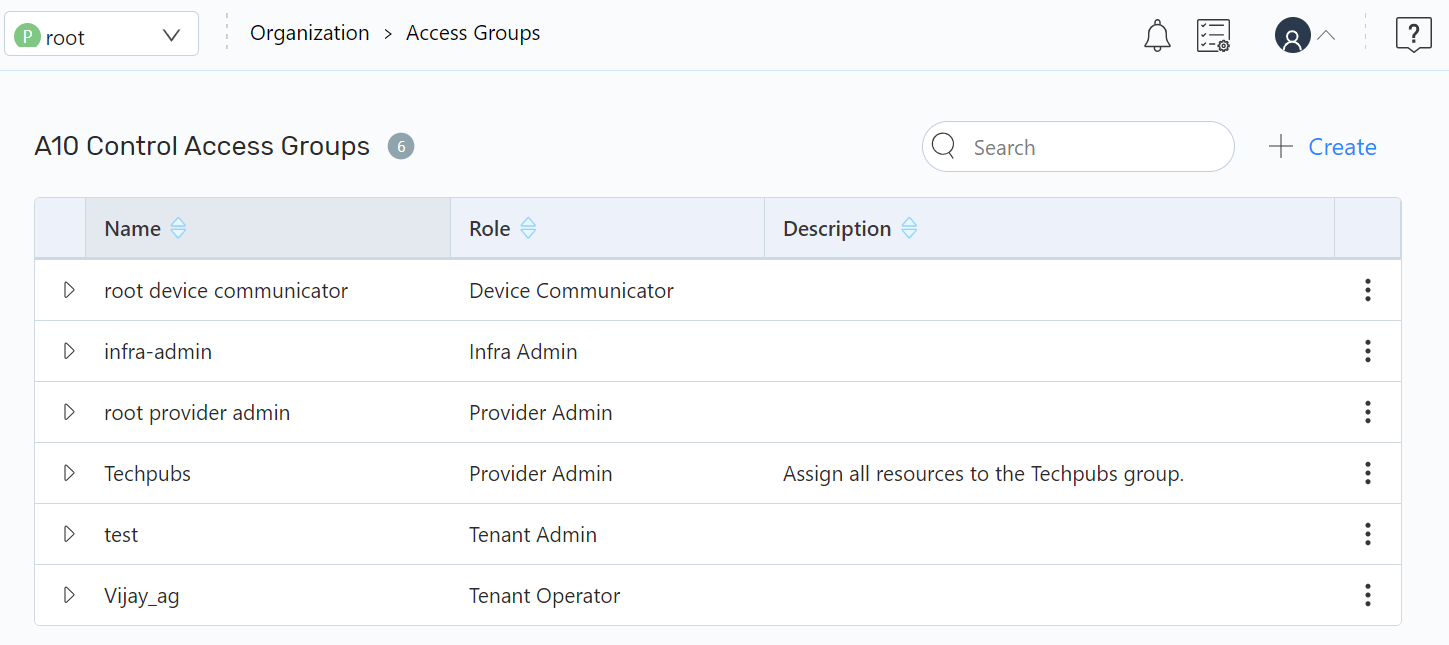
On the A10 Control Access Groups page, you can perform the following:
- Add a New Access Group: Click Create to create an access group.
- Other Actions: Click the Kebab menu to perform the following:
- Edit an Existing Access Group: Click Edit to edit an existing access group.
- Delete an Existing Access Group: Click Delete to delete the access group.