Manage IDP Groups
Identity provider (IDP) groups are used to map external identity providers (such as Keycloak, Okta, or Azure AD) to internal user group roles for access control and authentication policies. For more information, see IDP Integration.
Only Organization Admins have permission to manage IDP groups.
To view and manage IDP user groups associated with your organization in A10 Control, navigate to the A10 Control home page > Organization > Users > IDP Groups tab.
| NOTE: | The IDP Groups tab is displayed only when a supported IDP (Azure AD or Okta) is configured. |
Figure 98 : Users > IDP Groups tab
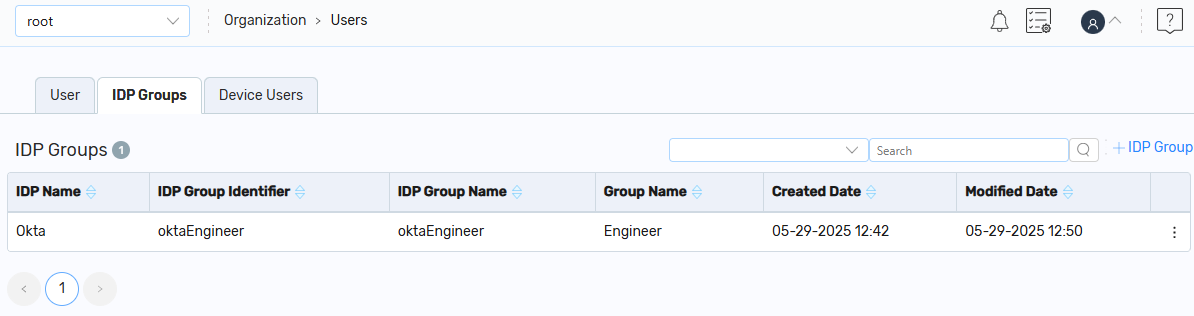
On the IDP Groups tab, you can perform the following:
- Add a New IDP Group: Click + IDP Group to create an IDP group.
- Filter: Click the Filter or Filter by column icon and enter the search filters based on your requirements. The search results are displayed.
- Other Actions: Under the Kebab column, you can perform the following:
- Edit an Existing IDP Group: Click Edit to edit an IDP group.
Delete an Existing IDP Group: Click Delete to delete an IDP group.