Manage Device Users
The Device Users module allows organization admins to special-purpose accounts used exclusively for registering ACOS devices into A10 Control. These accounts are used only for registering ACOS devices through CLI by providing their credentials and cannot be used for managing A10 Control or administrative actions.
Device users are automatically assigned the Device Communicator role, which provides only the permissions required to authenticate and register ACOS devices. This keeps device-registration credentials separate from other administrator accounts. And prevents accidental misuse of full admin accounts for device onboarding.
Only Organization Admins have permission to configure and manage Device Users.
Navigate to Device Users
Navigate to Organization > Users & Permissions > Device Users to view and manage device users.
Figure 85 : Device Users
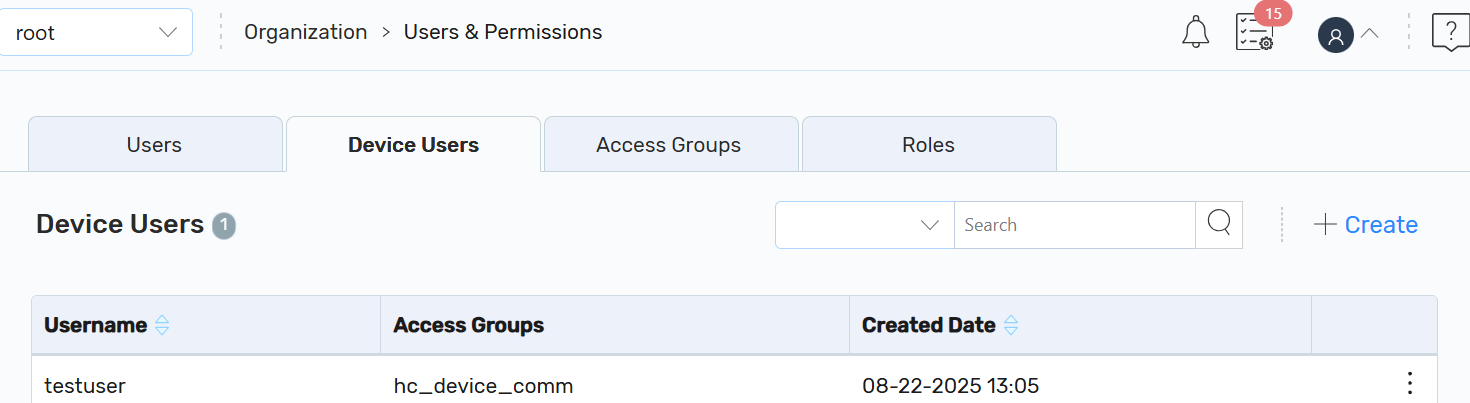
On the Device Users page, you can also perform the following:
- Create: Click + Create to create a device user.
- Other Actions: Click the Kebab menu corresponding to the required device user to perform the following:
Delete: Click Delete to delete a device user.
On the Delete Device User dialog, click Yes.
A confirmation message is displayed.
Once a device user is deleted, their credentials become invalid. Any attempt to register a device using CLI with those deleted credentials will result in an authentication failure. The device will no longer function under the deleted device user profile.