View Roles
The Roles module lets the organization administrator define the permissions and resources that a user can access. Before creating a new user, you can view the different roles available in A10 Control and decide what kind of roles you want to assign to these new users. Roles provide a standardized set of permissions that can be reused across different users and access groups.
For instance, a "Certificate Admin" role can read and write to many key resource categories including applications, certificates, shared infrastructure resources, and monitoring components (workflows, events, and audits). However, utilities are not accessible to this role.
While the resources are the systems, files, or data that can be accessed, the permissions specify what actions (read and/or write) are allowed. When a role is assigned to an access group, all its members are granted the same permission.
Navigate to Roles
Navigate to Organization > Users & Permissions > Roles to view the predefined roles.
Figure 71 : Roles
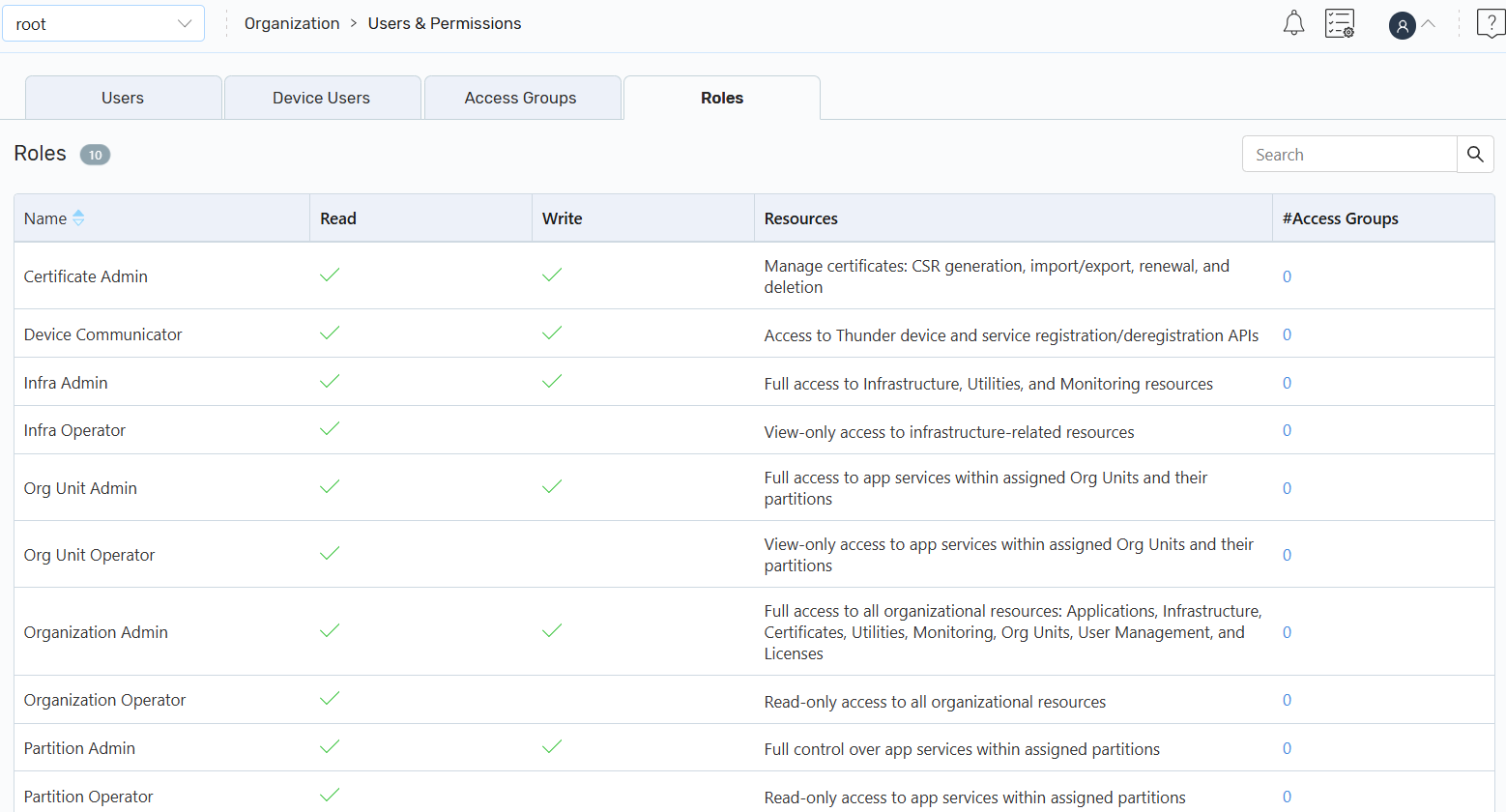
The Roles page displays the list of predefined roles in an alphabetical order. You can view the permissions or access these roles.
|
Field |
Description |
|---|---|
|
Name |
Name of a predefined role. |
| Read | Allows a user to view only access. |
|
Write |
Allows a user to create, edit, and delete access. |
| Resources | The systems, files, or data that a user can access based on the permissions. |
| Access Groups | The number of access groups that are created by using these roles. |
For information about roles, see Multi-Tenancy.