Create Personal API Token
Use the Create API Token page to generate Personal API Tokens for API authentication.
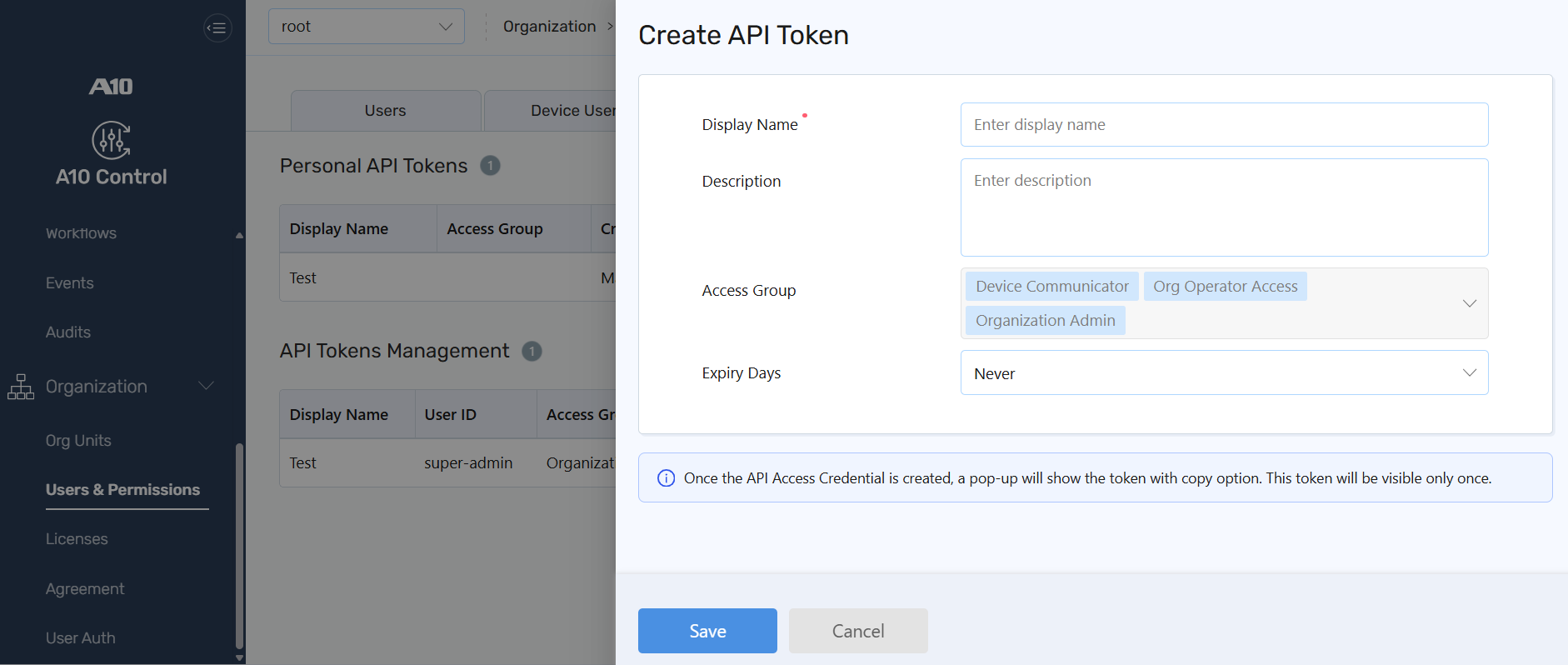
To create a Personal API token:
- Navigate to Organizations > Users & Permissions > API Tokens.
- Select Create.
- On the Create Token page, enter the following details:
Column Description Display Name The name used to identify the API token. Description Optional description for the token to help identify its purpose or associated integration. Access Groups Shows the access group assigned to the user. This is a static value and cannot be modified. Expiry Days Indicates the token's validity period. You can set the expiration to 30 days, 60 days, or 90 days, or set it to Never. -
Click Save.
| NOTE: |
|