Manage User Auth
The User Auth module provides centralized authentication and authorization for users accessing A10 Control. It supports multiple remote authentication protocols, including OIDC (Azure and Okta), LDAP or LDAPS, and TACACS+.
Only Organization Admins have permission to configure and manage User Auth settings.
To view and manage user authentication settings, navigate to Organizations > User Auth.
By default, the User Auth page is displayed as follows:
Figure 79 : User Auth
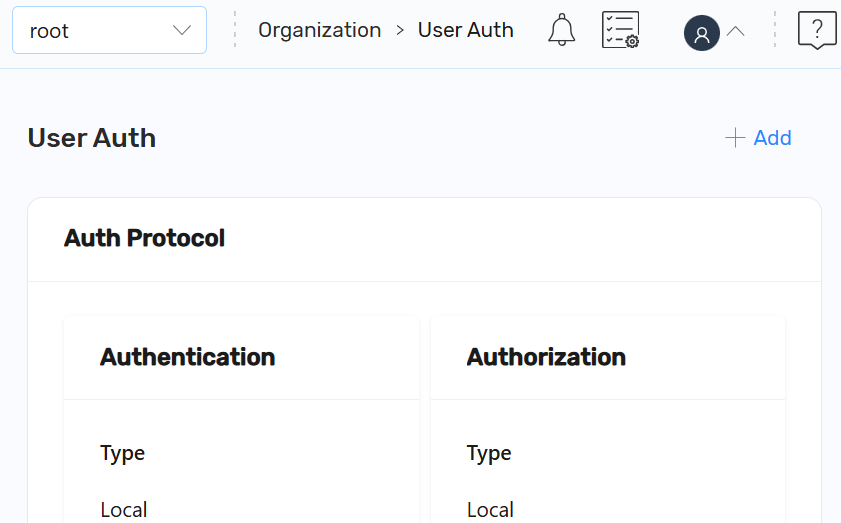
On this page, you can perform the following:
- Add User Auth: Click +Add to configure an authentication protocol.
After configuring a remote authentication protocol, the User Auth page is displayed as follows:
Figure 80 : User Auth After Configuration
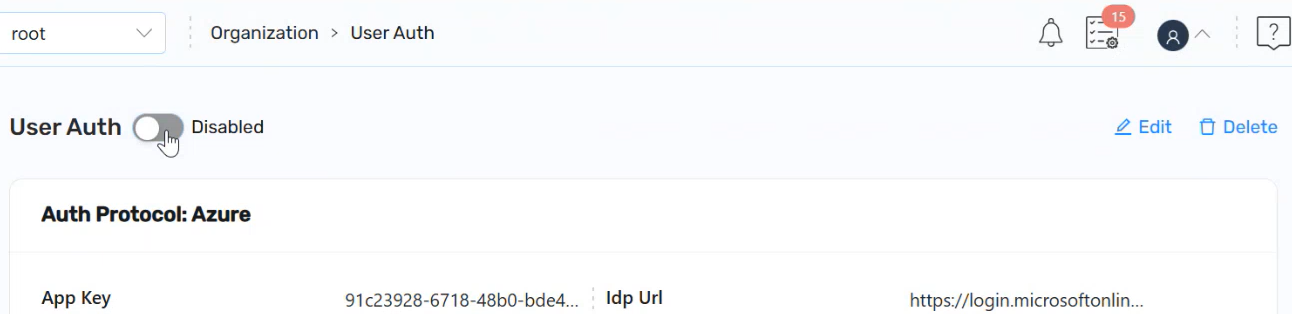
On the User Auth page, you can perform the following:
-
User Auth: Use the Toggle button to enable or disable the user auth settings.
- Enabled: Applies the configured authentication settings.
- Disabled: Disables the external user authentication and allows only local user.
-
Edit: Click Edit to modify authentication protocol settings.
-
Delete: Click Delete to remove the configured authentication protocol.
The user auth is deleted, and a confirmation message is displayed.